If ReStory customers keep leaving low or three-star reviews, start by separating two different things players often call cleanliness: cleaning the device on the repair bench and the appearance or condition of the shop. This guide explains what the official game description confirms, what one Steam Community discussion reports, and how to troubleshoot without inventing a hidden rating formula.
The public Steam description confirms a repair loop with cleaning, part replacement and shop management, but it does not publish a cleanliness-to-star formula. Check the exact customer wording, the unfinished job, visible shop clutter and story timing separately; change one factor at a time and record the result before treating a cause as confirmed.
01 / Define the problem
Device cleanliness and shop cleanliness are different checks
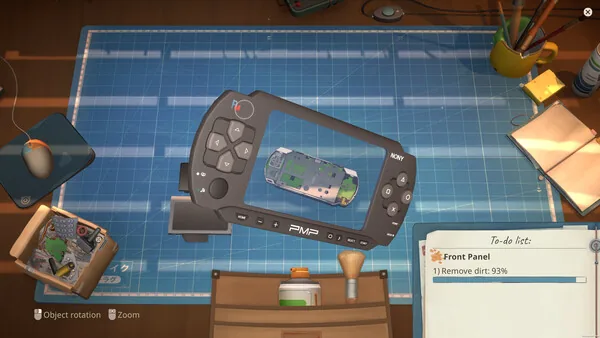
ReStory combines electronics repair with shop management, so the word clean can point to more than one task. A device may still have dirt left on a component or a repair may be incomplete. Separately, the room may look cluttered or a customer may react to the shop. A low review alone does not tell you which of those happened. Read the customer's message and inspect the current job before repeating a cleaning action.
Steam's store page describes disassembling electronics, cleaning them, replacing faulty parts and rebuilding them. It also describes running a repair shop and making decisions in a branching story. Those are confirmed parts of the game loop, but the store page does not say that a particular room item, cleanliness percentage or customer choice always produces a given star rating. Keep the repair diagnosis and the review investigation as separate notes.
02 / Evidence boundary
What the ReStory rating sources can and cannot prove
The official Steam description is useful for confirming that cleaning devices and managing a shop both belong to ReStory. It does not give a checklist for a perfect review, a numeric cleanliness threshold, or a guaranteed route from a shop decoration to five stars. This page therefore does not present a hidden score or a universal fix as fact.
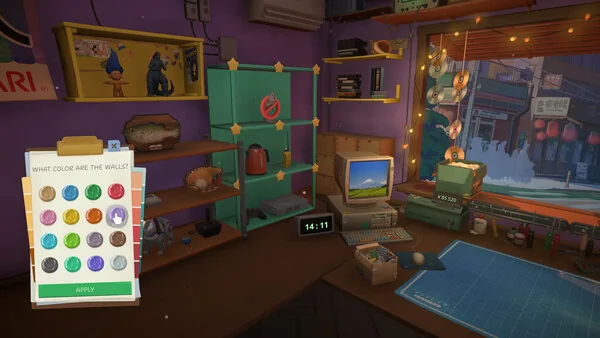
A Steam Community thread titled Constant 3-Star Rating — What am I missing? contains one player's report about repeated three-star results, dirt, rats and possible clutter. Replies suggest several things to inspect, including trash and story timing. These are player observations from a discussion, not an official rulebook or a controlled test. They can help you choose a next check, but they do not establish that the same cause applies to every save or build.
03 / Repeatable method
A careful ReStory cleanliness rating checklist
Use a short troubleshooting loop that preserves the starting state. Take a note or screenshot before changing anything, then check the following in order. When several things are changed at once, a better review cannot show which change mattered. A repeatable comparison is more useful than a long list of untested tips.
The aim is not to chase a perfect-looking room. It is to find which visible task or report is connected to the review in your current save. Keep the job, customer and story point in the record so the next attempt can be compared fairly.
Copy the customer's exact wording
Write down the review instead of paraphrasing it as bad cleanliness. A specific mention of dust, trash, a rat or an unfinished repair points to a different next check. If no reason is shown, mark the cause unknown.
Finish the current device job
Compare the job list with the device on the bench. Check remaining cleaning, faulty parts and any step the game still marks incomplete. Steam confirms cleaning and part replacement are repair tasks, but your current task list is the evidence for this job.
Inspect the shop before redecorating
Look for visible clutter or a room change the player discussion mentions, then take a before screenshot. Remove or change one item only. The thread is anecdotal, so treat each suggested item as a test candidate, not a guaranteed requirement.
Keep story timing separate
Record the customer, conversation state and the point in the day or story when the review appears. Do not change a dialogue answer and shop layout in the same attempt, because you will not know which variable changed the result.
Compare the next review
After the same type of job or customer interaction, capture the review and the new shop state. Repeat the comparison when possible. If the outcome is not repeatable, keep it labelled as a one-off observation.
04 / Read the symptom
Why a clean repair can still receive a poor review
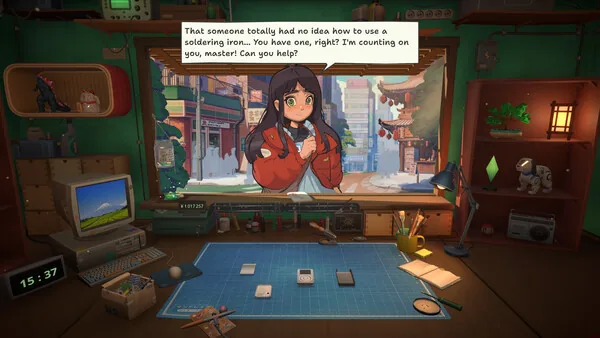
A finished device and a satisfied customer are not necessarily the same outcome. The job may have another visible task, a part may remain faulty, or the customer may be reacting to a conversation or story event. The checked official text confirms branching customer interactions in general, but it does not connect a specific response to a cleanliness score. Avoid assuming a dialogue choice is the cause unless you can repeat the same job and state.
Likewise, an in-game screenshot of a tidy room is not proof that the game has registered every condition. Confirm the visible state after an action, check whether the task list changed, and keep the review text itself. If the text mentions dust or a rat, treat that as a clue to inspect the room; it is not by itself proof of a universal cleanliness threshold.
05 / Keep useful notes
How to tell a working fix from a guess
Record the game version if it is visible, the customer or device, the exact review text, the job state, the shop changes you made and the next review. Change one variable per comparison. If the result changes only after you remove an item, repeat the same conditions in another job or save before promoting that observation to a general tip.
Player reports can become outdated after an update, and different story states may produce different comments. This guide was checked against the public Steam store description and the linked Community discussion on 2 October 2026. The sources do not document an exact star-rating algorithm, so unresolved cases should remain unresolved rather than being filled with a guessed percentage.
Start with the right kind of cleanliness
Start with the right kind of cleanliness
| Check | What to inspect | What the evidence supports |
|---|---|---|
| Device cleaning | The assigned repair task, remaining dirt or a listed cleaning step on the device. | Steam confirms device cleaning is part of the repair loop; the visible job state is your save-specific evidence. |
| Shop presentation | The exact review text and visible clutter or room changes between attempts. | The Steam discussion contains player reports about dirt and clutter; it does not prove a universal scoring rule. |
Symptom-to-check reference
Symptom-to-check reference
| What you see | Next useful check | Evidence level |
|---|---|---|
| The review mentions dust or a rat. | Inspect visible shop presentation and record what changed before the next review. | Player discussion clue; not an official threshold. |
| The review is low but gives no reason. | Check the device task list and preserve the exact review text for a controlled comparison. | Open question; the sources do not identify the cause. |
| The device looks clean but the job is not accepted. | Check remaining repair steps and faulty parts shown by the current job. | Repair loop confirmed by Steam; exact job state is save-specific. |
| A review changes after a conversation or event. | Replay or compare with the same shop state and record the story point. | Do not generalize from one player report. |
Use evidence, not a guessed score formula
Use evidence, not a guessed score formula
For a ReStory cleanliness rating problem, first separate device cleaning from shop presentation. Use the review wording and active task list to choose a focused check, change one variable, then save the next result. Steam confirms the broad repair and shop loop; exact star thresholds remain undocumented in the sources reviewed.
ReStory cleanliness rating FAQ
ReStory cleanliness rating FAQ
How do I improve my ReStory cleanliness rating?
The checked public sources do not publish an exact formula. Read the review, finish the visible repair tasks, inspect shop clutter and test one change at a time.
Does cleaning a device raise the shop's star rating?
Steam confirms device cleaning as part of repairs, but does not say that it directly controls shop stars. Treat device condition and shop review as separate checks.
Why does my ReStory shop keep getting three-star reviews?
A Steam Community thread reports repeated three-star reviews and discusses dirt, rats, clutter and story timing. Those suggestions are anecdotal; use the exact review text to choose a test.
Is there an official cleanliness percentage threshold?
No threshold appears in the official Steam description or the Community thread checked for this guide. Do not rely on an unsourced percentage.
Should I change furniture and dialogue choices together?
No. Keep the job, room and story state as stable as possible, then change one factor. Otherwise a changed rating cannot identify what helped.
Where can I verify ReStory repair and shop features?
The Steam store page describes the repair loop and shop management. The linked Community discussion is player testimony and should be read as an unverified troubleshooting lead.
Sources and evidence labels
Sources and evidence labels
Official Steam store description Official game information
Checked 2026-10-02. Confirms repair, device cleaning, shop management and branching-story premise; does not publish review formula.
Steam Community: Constant 3-Star Rating — What am I missing? Player discussion (anecdotal)
Player reports and replies are not official mechanics documentation.